
Design and monitor
Shape the system in Solar Studio, then let Mycroguard carry the visibility layer once it is built.
Online Tooling
Solar Studio lets you choose a layout, panel count, and battery direction yourself, before you ever speak with our team.
Design your system right here in Solar Studio.
Mycroguard
The work does not end when the panels go up. Mycroguard sits right beside Solar Studio so the system you design here becomes a system you can watch and manage later.

Solar Studio shapes the plan. Mycroguard carries the visibility layer after install.
Shape the system in Solar Studio, then let Mycroguard carry the visibility layer once it is built.
Proposal, install, and monitoring stay in one place, so you always see the full Mycrogrid experience.
Move from designing your system into service and support without the software ever feeling bolted on.
Design your own system — pick a layout, panel count, and battery direction — then send it straight to our team.
Sample screens
Until the live tool loads here, these views make it tangible: roof layout, production modeling, payment comparison, and the presentation layer that follows once the plan is ready to share.
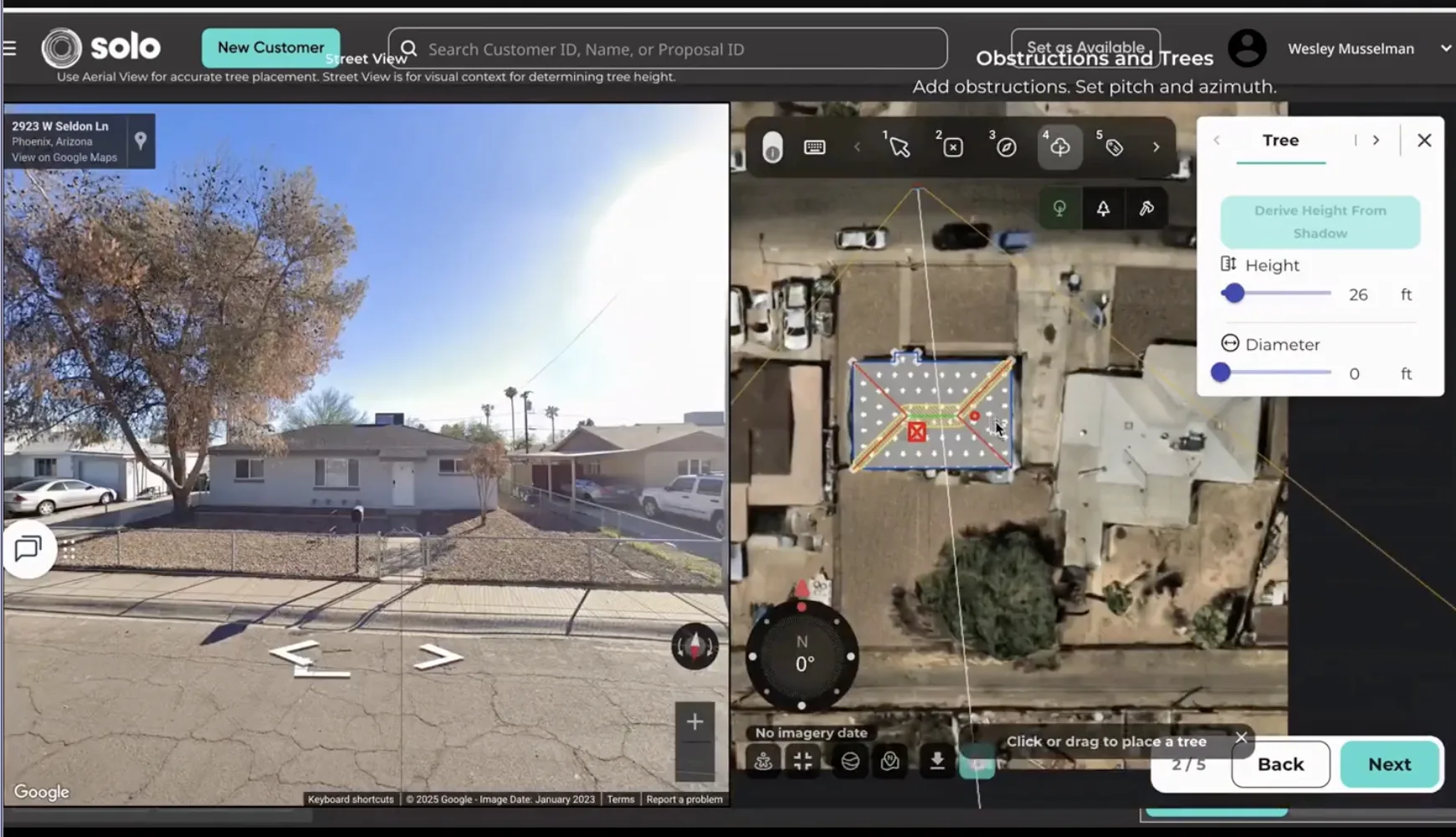
Street-view context and aerial layout working together so trees, pitch, and shade assumptions are visible instead of hidden.
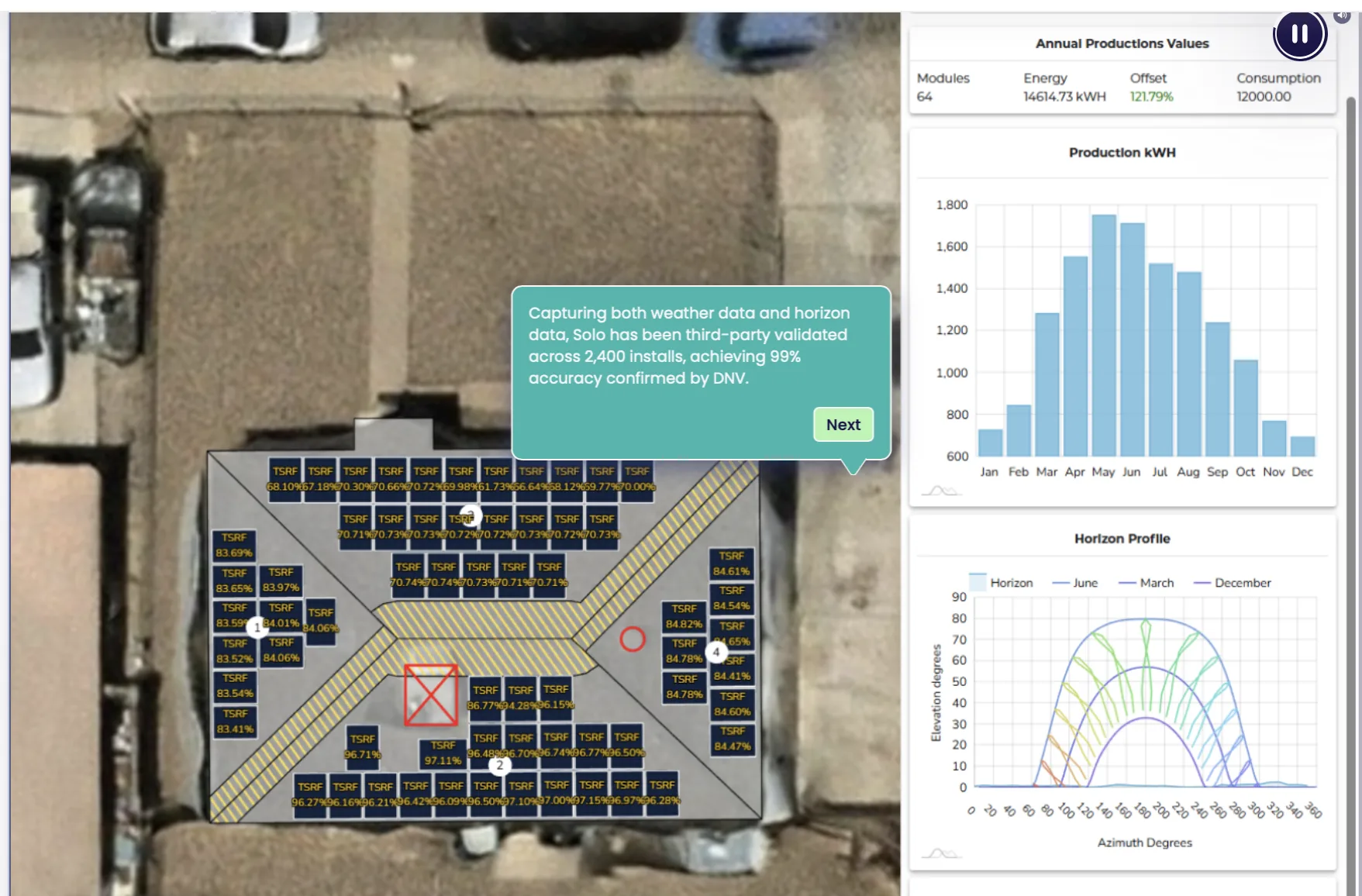
Array layout paired with annual production and horizon data to show how the roof translates into real energy output.
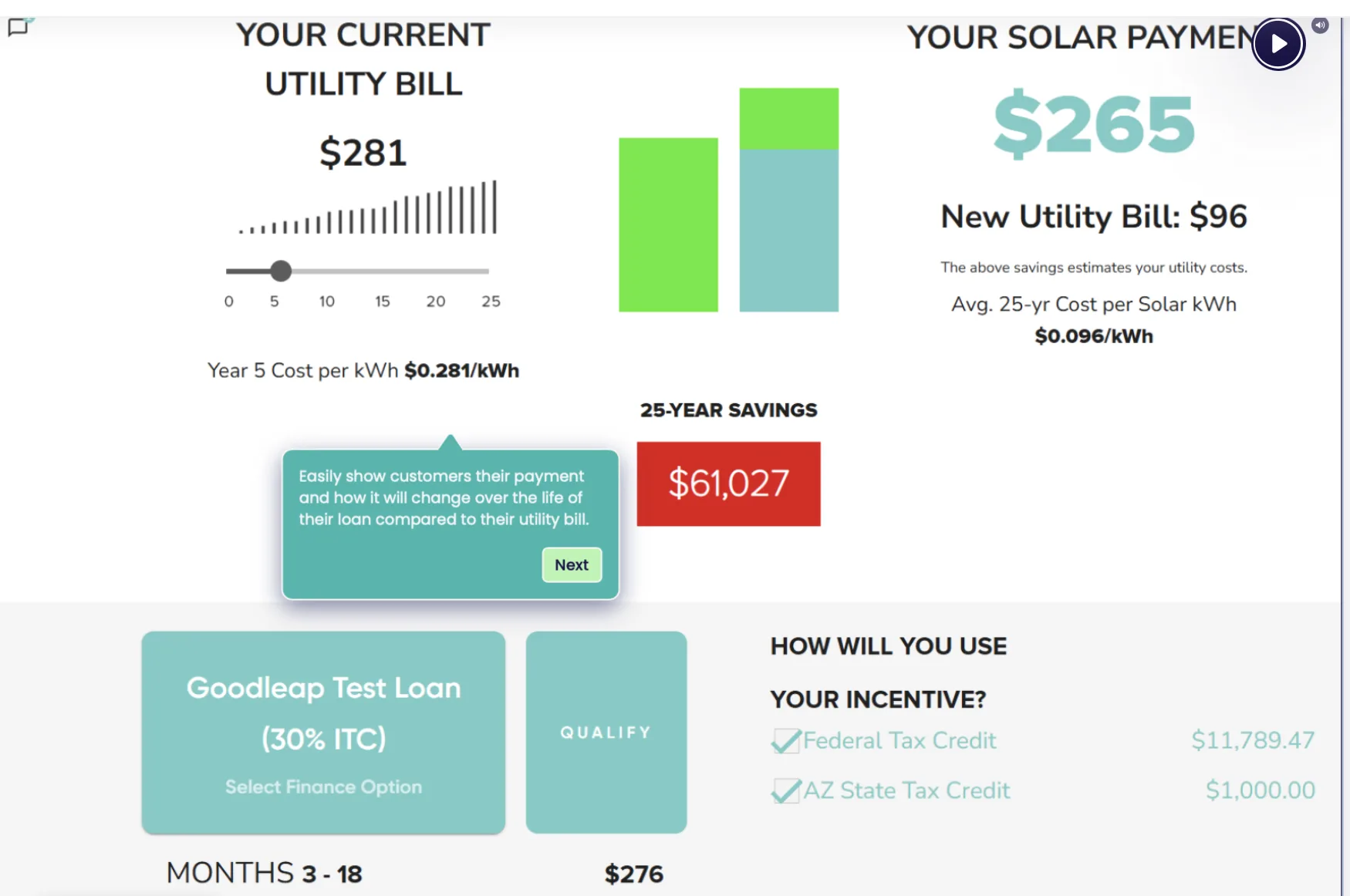
A simple read on current utility costs, projected solar payment, and long-term savings so the economics stay easy to grasp.
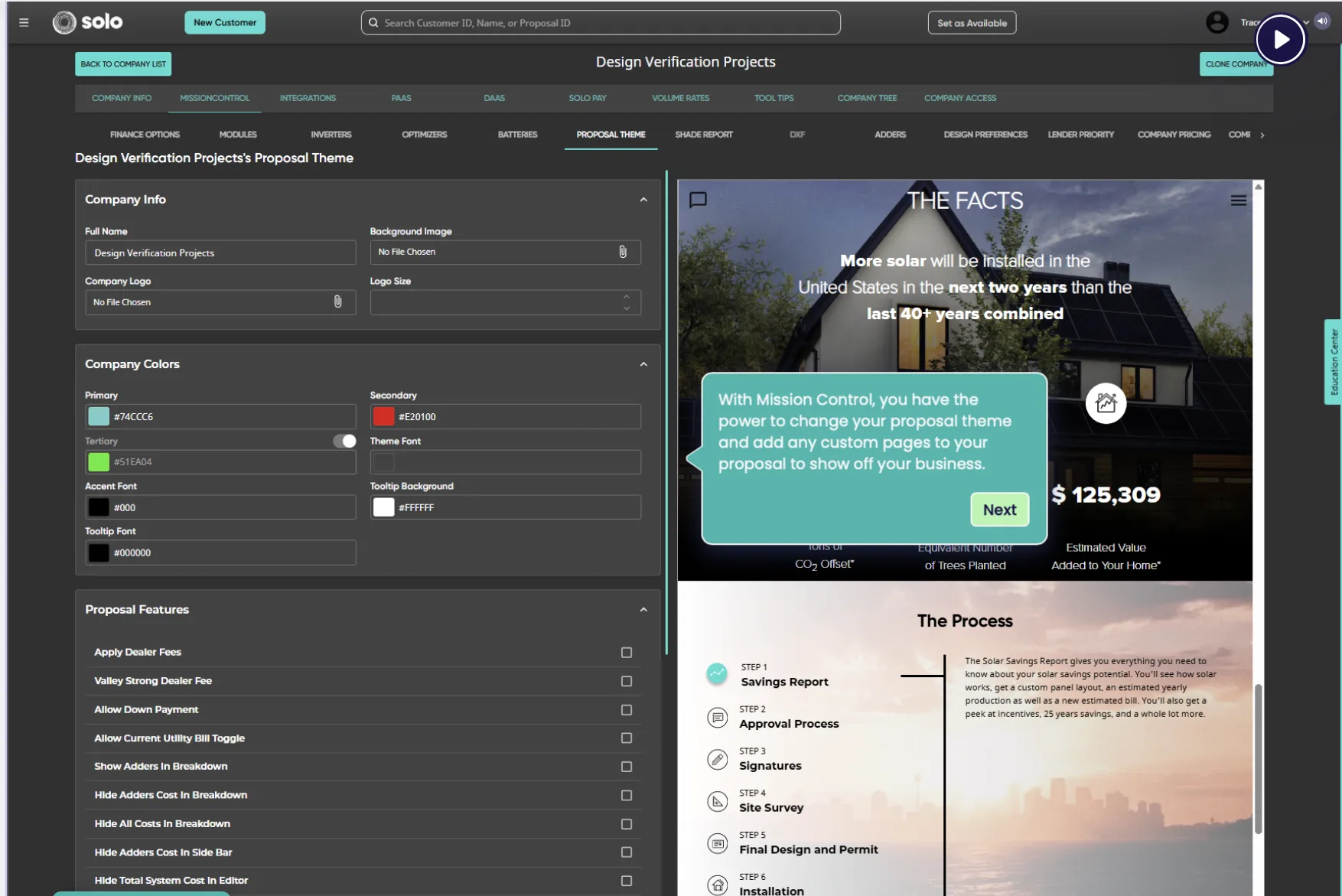
A live proposal view that turns the plan into something presentable once the system, numbers, and story are aligned.
Solar Studio runs on GoSolo, which measures your roof, designs the array, and builds a real proposal with financing all in one flow.
Start from your actual roof, with edges and obstructions detected automatically.
Layout, panel count, storage, and financing come together into pricing you can understand.
When you are ready, go straight from your design into a consultation with our team.